Booklet Printing Design
Introduction
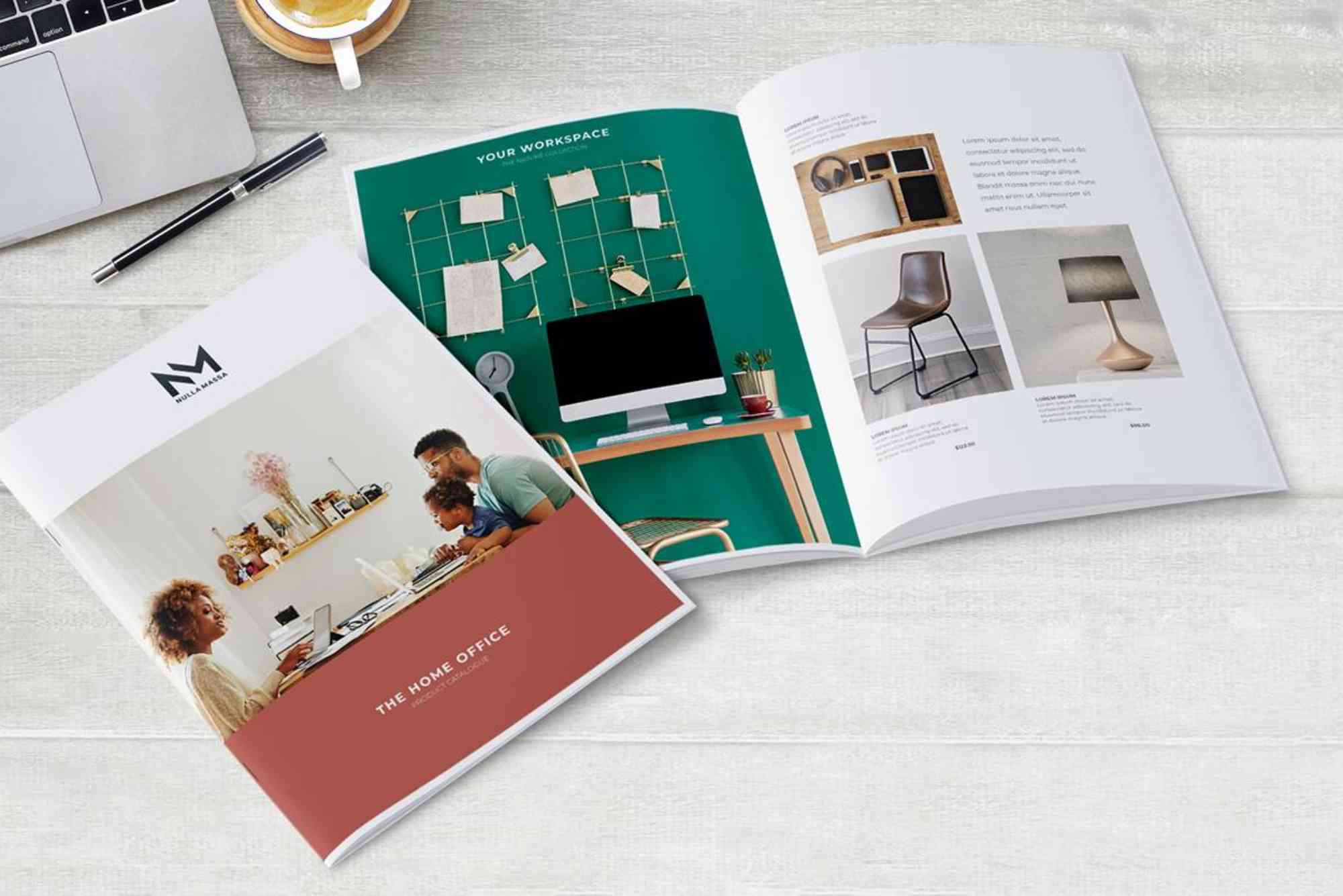
Booklet printing design plays a vital role in how your brand communicates with customers. Whether you’re creating product catalogs, event programs, or company profiles, a well-crafted booklet can leave a lasting impression. A strategic booklet printing design combines visual appeal, readability, and brand consistency to engage your audience effectively.
In today’s competitive market, businesses are investing more in high-quality booklet printing design to stand out. This guide will walk you through everything you eed to know—from layout planning to printing finishes—so you can create a booklet that truly delivers results.
What Is Booklet Printing Design?
Booklet printing design refers to the process of creating visually structured, multi-page printed materials that present information in a clear and engaging way. It includes everything from layout, typography, colour schemes, and imagery to print specifications such as paper type and binding.
A strong booklet printing design ensures that your content is not only attractive but also easy to navigate, making it more likely that readers will stay engaged.
Why Booklet Printing Design Matters for Your Business
Enhances Brand Identity
A professional booklet reflects your brand’s personality and builds credibility. Consistent fonts, colours, and imagery reinforce brand recognition.
Improves Communication
Booklets allow you to present detailed information in an organized format, making it easier for readers to understand your message.

Boosts Marketing Impact
Unlike single-page flyers, booklets provide more space to tell your story, showcase products, and persuade potential customers.
Key Elements of Effective Booklet Printing Design
Layout and Structure
A clean and organized layout is the foundation of great booklet printing design. Use grids to align elements and maintain consistency across pages.
Typography
Choose fonts that are readable and align with your brand identity. Avoid using too many font styles to keep the design cohesive.
Colour Scheme
Colours should reflect your brand while ensuring readability. High contrast between text and background improves user experience.
Images and Graphics
Use high-resolution images and meaningful visuals that support your content. Poor-quality images can negatively impact the overall look.
White Space
Don’t overcrowd your pages. White space helps guide the reader’s eye and makes the content easier to digest.
Types of Booklets You Can Design
Product Catalogs
Perfect for showcasing products with detailed descriptions and visuals.
Company Profiles
Introduce your business, values, and services in a professional format.
Event Programs
Provide schedules, speaker details, and important information for attendees.
Instruction Manuals
Offer step-by-step guidance in a clear and structured layout.
Guide to Booklet Printing Design
Define Your Purpose
Understand what you want to achieve with your booklet. Is it for marketing, education, or branding?
Plan Your Content
Organize your content into sections and decide how many pages you’ll need.
Create a Wireframe
Sketch a rough layout to visualize how each page will look.
Design the Pages
Use design tools to bring your booklet printing design to life. Focus on alignment, spacing, and consistency.
Choose Print Specifications
Select paper type, size, and binding options such as saddle stitch or perfect binding.
Review and Proofread
Check for errors in text, alignment, and image quality before printing.
Best Practices for High-Quality Booklet Printing Design
Keep It Simple
Avoid clutter and focus on delivering your message clearly.
Use High-Resolution Files
Always use 300 DPI images for professional print quality.
Maintain Consistency
Stick to a consistent design theme throughout the booklet.
Optimize Margins and Bleeds
Ensure your design extends beyond the trim line to avoid white edges after cutting.
Test Print Before Final Run
A sample print helps identify any design or colour issues.
Common Mistakes to Avoid
Overloading with Text
Too much text can overwhelm readers. Break content into smaller sections.
Ignoring Readability
Fancy fonts may look appealing but can be difficult to read.
Poor Image Quality
Low-resolution images reduce the overall quality of your booklet.
Inconsistent Design
Mixing too many styles can make your booklet look unprofessional.
How Booklet Printing Design Supports Packaging and Branding
Booklet printing design is not just about information—it also complements your overall branding strategy. When paired with Custom Packaging, your printed materials can create a cohesive brand experience that resonates with customers. Businesses often integrate booklets inside packaging to provide product details, instructions, or brand stories, enhancing customer engagement.
For creative ideas, exploring packaging design inspiration can help you align your booklet design with modern trends and innovative concepts. This ensures your brand remains visually appealing and relevant in a competitive market.
Additionally, working with a reliable provider like Buddy Packaging Location can ensure high-quality printing and professional results, making your booklet stand out.
Trends in Booklet Printing Design
Minimalist Design
Clean layouts with simple typography are gaining popularity.
Bold Typography
Large, eye-catching fonts are used to highlight key messages.
Sustainable Printing
Eco-friendly materials and inks are becoming more important.
Interactive Elements
QR codes and augmented reality features are being integrated into booklets.
Choosing the Right Printing Method
Digital Printing
Ideal for short runs and quick turnaround times.
Offset Printing
Best for large quantities with consistent colour quality.
Binding Options
- Saddle Stitch: Cost-effective for small booklets
- Perfect Binding: Professional look for thicker booklets
- Spiral Binding: Easy to flip pages
How to Measure the Success of Your Booklet
Engagement Levels
Track how readers interact with your booklet.
Customer Feedback
Gather insights to improve future designs.
Conversion Rates
Measure how many readers take action after viewing your booklet.
Booklet printing design is a powerful tool for communication, branding, and marketing. By focusing on layout, typography, and print quality, you can create a booklet that not only looks professional but also delivers real results.
FAQs
What is the best size for booklet printing design?
The most common sizes are A4, A5, and square formats. The choice depends on your content and purpose.
How many pages should a booklet have?
Booklets typically have multiples of four pages due to printing requirements. The total depends on your content.
What file format is best for printing?
PDF is the preferred format as it preserves layout, fonts, and image quality.
What is bleed in booklet printing design?
Bleed is the extra space around your design that ensures no white edges appear after trimming.
How can I make my booklet more engaging?
Use high-quality visuals, clear headings, and a well-structured layout to keep readers interested.
Shop the boxes from this guide

120ml Bottle Boxes
Apparel Sleeve Boxes
Archive Boxes

buddypackaginguk
Packaging & Print SpecialistTechnical packaging specialist at Buddy Packaging UK, sharing insights on corrugated board packaging, custom dielines, and print production.
View all packaging articles by buddypackaginguk →