Adobe Packaging Design: A Complete Guide to Better Packaging
Introduction to Adobe Packaging Design
Adobe packaging design has become an important part of modern branding and product presentation. Well-designed packaging does more than protect a product. It communicates a brand’s personality, attracts attention and influences purchasing decisions.
Adobe’s creative software provides designers with powerful tools for creating packaging concepts. These tools support everything from initial sketches to detailed artwork and print-ready files. As a result, businesses can create packaging that looks professional across different products and formats.
Whether you are designing a box, pouch, bottle label or food wrapper, Adobe packaging design can provide greater creative control. It also makes it easier to maintain consistent branding across multiple products.
For beginners, packaging design can initially seem complicated. However, understanding the basic workflow makes the process much easier. With the right approach, designers can create attractive packaging while avoiding common technical problems.
What Is Adobe Packaging Design?
Adobe packaging design refers to the process of creating product packaging using Adobe creative applications. Adobe Illustrator is commonly used for vector artwork, while Adobe Photoshop can support image editing and visual presentations.
Adobe InDesign can also be useful for packaging projects that contain substantial text and structured information. Designers can select the application according to the project’s requirements.
A packaging project usually begins with research and concept development. The designer then creates artwork based on the package’s dimensions and structural template.
The final design must combine visual appeal with practical requirements. Colours, typography, imagery and product information should work together naturally.
Why Is Adobe Packaging Design Important?
Packaging is often the first physical interaction customers have with a product. Therefore, its appearance can strongly influence how the product is perceived.
Professional Adobe packaging design can help a business establish a recognisable visual identity. Consistent colours, fonts and graphic elements can make products easier to identify.
Good packaging can also communicate important information quickly. Customers should understand what the product is and why it may be suitable for them.
Furthermore, professional design helps packaging stand out in competitive retail environments. Strong visual hierarchy can guide attention towards the most important information.
Adobe Packaging Design and Brand Identity
Brand identity should remain central throughout the packaging process. A package should look like it belongs to the same brand as the company’s website, advertising and other marketing materials.
Adobe packaging design makes brand consistency easier to maintain. Designers can use established brand colours, logos, fonts and visual elements throughout their artwork.
However, consistency does not mean every product should look identical. Individual products can have distinctive colours or graphics while maintaining the core brand identity.
For example, a food company may use the same logo and typography across its range. Different flavours can then use different colours for easy recognition.
Choosing the Right Adobe Software
The Adobe application you choose can affect your packaging workflow. Each programme has strengths that suit different stages of the project.
Adobe Illustrator for Packaging
Illustrator is particularly useful for creating vector-based packaging artwork. Logos, icons, patterns and typography can remain sharp at different sizes.
It is also suitable for working with packaging dielines. Designers can create precise shapes and organise artwork around folds, cuts and other structural elements.
For many professional packaging projects, Illustrator is an important part of the production workflow.
Adobe Photoshop for Packaging
Photoshop is useful when packaging requires detailed photographs or raster artwork. Product images, textures and promotional graphics can be edited and enhanced effectively.
However, Photoshop should not replace vector software for every packaging element. Text and logos often benefit from vector-based artwork.
Adobe InDesign for Packaging
InDesign can be useful for packaging containing considerable amounts of structured text. It offers strong control over typography, layout and page-based elements.
The right application ultimately depends on the package structure and the artwork requirements.
Understanding Packaging Dielines
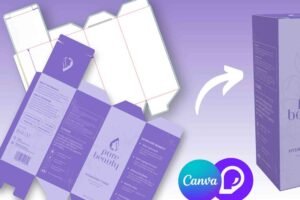
A dieline is the structural template that shows where packaging will be cut, folded or assembled. Understanding the dieline is essential for accurate Adobe packaging design.
Designers should keep structural information separate from visual artwork whenever possible. This makes the document easier to review and modify.
Important elements should also remain away from cutting and folding areas. Otherwise, text or graphics could be damaged during production.
Before designing, confirm the dimensions, folds, cut lines and other specifications supplied by the packaging manufacturer.
Colour Management in Adobe Packaging Design
Colour is one of the most important parts of packaging design. The colours displayed on a computer screen may not match the final printed product.
For professional packaging, designers should understand the difference between RGB and CMYK colour modes. CMYK is generally associated with conventional print production.
However, printing requirements can vary between suppliers and processes. Therefore, designers should always follow the printer’s technical specifications.
A carefully managed Adobe packaging design file can reduce unexpected colour differences during production.
Typography and Packaging Readability
Typography should make packaging information easy to understand. Attractive fonts are useful, but readability should always come first.
The product name should usually have strong visual prominence. Supporting information can then be organised using appropriate size, weight and spacing.
Designers should also consider viewing distance. Packaging displayed on a supermarket shelf may need larger and clearer text than packaging viewed closely.
Avoid overcrowding the front panel. A clean layout often communicates information more effectively than excessive decoration.
Using Images and Graphics Effectively
Images can make packaging more appealing, particularly for food, cosmetics and lifestyle products. However, every image should have a clear purpose.
High-resolution photographs are important when images will be printed at a significant size. Low-quality images can appear blurry or pixelated after production.
Vector graphics can be particularly useful for logos, illustrations and decorative elements. They provide flexibility without losing sharpness.
Adobe packaging design becomes more effective when imagery supports the product message instead of distracting from it.
Practical Adobe Packaging Design Tips
Effective packaging requires both creativity and technical accuracy. A visually impressive design can still fail if it cannot be manufactured correctly.
One useful approach is to begin with the package structure rather than decorating the artwork immediately. Understanding available space makes later design decisions easier.
Keep important information away from folds and edges. Maintain sufficient contrast between text and background.
Use consistent spacing throughout the design. Alignment can make even a complex package feel organised.
You should also create clear layers in your Adobe document. Separate logos, text, images, background artwork and technical elements when appropriate.
Before sending the file to production, inspect the artwork carefully. Check spelling, dimensions, colours, image quality and required technical marks.
These packaging design tips can help designers produce artwork that is both attractive and practical.
Custom Packaging and Adobe Design
Custom Packaging gives businesses greater freedom to create packaging around their specific products. Adobe packaging design can support this process by allowing detailed control over artwork and branding.
Custom packaging may require unusual shapes, special dimensions or additional structural considerations. Therefore, communication between the designer and manufacturer is important.
Designers should request the correct dieline before beginning detailed artwork. This reduces the risk of creating graphics for the wrong dimensions.
The final package should also reflect how customers will physically interact with it. Opening, handling and displaying the package can all influence the design.
Understanding the Buddy Packaging Location
The Buddy Packaging Location can be considered during packaging planning when businesses are coordinating design, production or distribution requirements.
Packaging artwork should always be prepared according to the actual production environment. Different manufacturing locations may have different technical requirements.
For this reason, designers should confirm specifications before finalising Adobe packaging design files. Small differences in printing equipment or finishing processes can affect the final result.
Good communication can prevent expensive corrections after artwork has already been approved.
Common Mistakes in Adobe Packaging Design
Packaging mistakes can become expensive because incorrect artwork may require reprinting. Fortunately, many problems can be prevented during the design stage.
One common mistake is designing without an accurate dieline. Another is placing important text too close to cut lines.
Using unsuitable images can also reduce print quality. Designers should check image resolution before approving the final artwork.
Poor typography is another frequent problem. Too many fonts, weak contrast and crowded layouts can make packaging difficult to understand.
Finally, designers sometimes forget to check technical specifications. Always confirm file format, colour mode, bleed, dimensions and printer requirements.
How to Prepare Packaging for Printing
Once the design is complete, the artwork should undergo a detailed preflight check. This process helps identify problems before the file reaches production.
Check every text element for spelling and accuracy. Confirm that images have suitable resolution and that colours follow the printer’s requirements.
Bleed should also be included where required. It allows artwork to extend beyond the final cutting area and helps prevent unwanted white edges.
Fonts may need to be outlined or packaged according to the printer’s workflow. Follow the supplier’s preferred process rather than assuming one method works everywhere.
Finally, request a proof when appropriate. A physical proof can reveal issues that may not be obvious on a computer screen.
Adobe Packaging Design for Sustainable Products
Sustainability is becoming increasingly important in packaging. Businesses are looking for ways to reduce unnecessary materials while maintaining attractive presentation.
Design plays an important role in this process. A simple package can sometimes communicate more effectively than one covered with excessive graphics.
Adobe packaging design can support sustainable branding through efficient layouts and thoughtful material considerations. Designers can also communicate recycling information clearly.
However, sustainability claims should always be accurate. Packaging should not suggest environmental benefits that cannot be supported.
How Much Does Adobe Packaging Design Cost?
The cost of packaging design varies according to the project’s complexity. A simple label may require considerably less work than a multi-panel retail box.
Pricing can depend on the number of products, structural complexity, artwork requirements and number of revisions.
Professional photography, illustrations and specialised finishing can also affect the overall budget.
Businesses should therefore define the project scope before requesting a design quotation. Clear requirements help designers estimate the time and resources needed.
Frequently Asked Questions About Adobe Packaging Design
What Adobe programme is best for packaging design?
Adobe Illustrator is commonly suitable for packaging artwork because it handles vector graphics and precise layouts effectively. Photoshop and InDesign can support specific project requirements.
Can you use Adobe Illustrator for packaging design?
Yes. Illustrator is widely suited to packaging artwork, especially when projects involve logos, typography, illustrations and dielines.
How do I create a packaging design in Adobe Illustrator?
Start with the correct dieline and package dimensions. Then organise the artwork using appropriate layers, add branding and graphics, check technical requirements and prepare the final file for printing.
What is a dieline in packaging design?
A dieline is a structural template showing where packaging will be cut and folded. It helps designers position artwork accurately around the physical package.
What colour mode should I use for packaging design?
CMYK is commonly used for print packaging. However, colour requirements can vary by printing process, so always follow the printer’s specifications.
What makes good packaging design?
Good packaging combines clear branding, readable typography, attractive visuals and practical usability. It should communicate the product quickly while remaining suitable for production.
Conclusion
Adobe packaging design combines creativity, branding and technical precision. A successful package should look appealing while also working correctly during printing, production and everyday use.
Using the right Adobe software can make the process more efficient. Illustrator is especially valuable for precise vector artwork, while Photoshop and InDesign can support other creative requirements.
The strongest packaging begins with accurate specifications and a clear understanding of the customer. From the dieline to the final printed proof, every detail matters.
If you are developing a new product, invest time in professional packaging from the beginning. Use these packaging design tips, prepare your artwork carefully and create packaging that gives customers a strong reason to notice your product.