Packaging Design Vector: The Complete Guide for Modern Brands
Packaging influences buying decisions in seconds. Before a customer reads a label, they judge the look. That is why packaging design vector files are essential in modern branding.
A packaging design vector ensures clarity, scalability and print accuracy. Unlike raster images, vector graphics stay sharp at any size. Whether you design a small label or a large box, quality remains perfect.
In today’s competitive market, brands cannot afford blurry graphics or pixelated logos. A professional packaging design vector gives you consistency across print and digital platforms. It also reduces costly printing errors.
This guide explains what packaging design vector means, why it matters, how to create it, and how to use it effectively.
What Is Packaging Design Vector?
Packaging design vector refers to packaging artwork created using vector graphics. These graphics rely on mathematical paths instead of pixels.
Because of this structure, vectors can scale infinitely without losing quality. That makes them ideal for packaging production.
How Vector Graphics Work
Vector graphics use points, lines and curves. Each shape is defined by mathematical formulas.
When resized, the design recalculates instead of stretching pixels. Therefore, the image stays crisp and clean.
Popular vector formats include:
- AI
- EPS
- SVG
- PDF (vector-based)
These formats are standard in professional printing workflows.
Vector vs Raster: Why It Matters
Raster files such as JPEG and PNG are pixel-based. They lose clarity when enlarged.
However, packaging design vector files maintain precision. This is critical when printing thousands of units. Even small distortions can affect brand perception.
Why Packaging Design Vector Is Essential for Printing
High-quality printing demands precision. Packaging design vector files deliver that precision consistently.
Perfect Scalability
Brands often require multiple packaging sizes. For example, a product may come in travel, standard and bulk sizes.
With packaging design vector artwork, resizing is effortless. The design remains sharp on every version.
Accurate Colour Control
Vector software supports CMYK and Pantone colour systems. This ensures colour accuracy during printing.
Colour consistency strengthens brand recognition. Over time, customers associate specific colours with your product.
Clean Die Lines and Cutting Guides
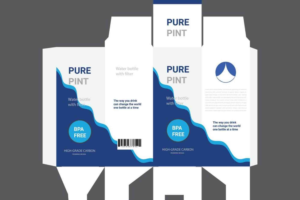
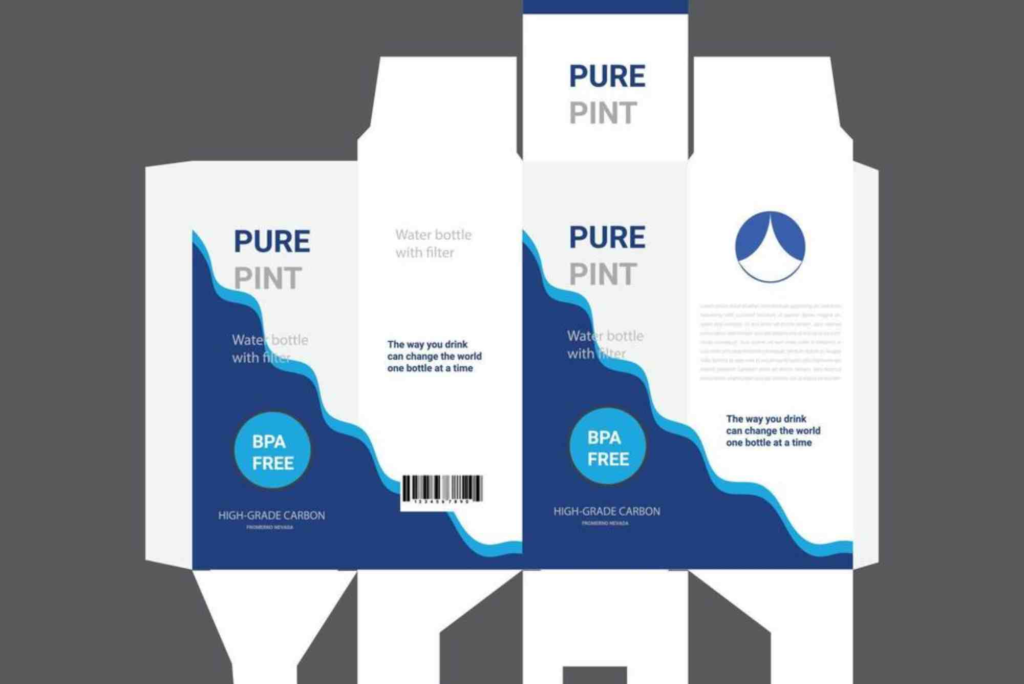
Packaging involves folding and cutting. Vector files allow precise die lines.
This reduces production mistakes and ensures packaging fits perfectly.
Tools Used to Create Packaging Design Vector
Professional designers rely on industry-standard software. These tools allow precision and control.
Adobe Illustrator
Adobe Illustrator remains the most popular vector tool. It offers advanced typography, grid systems and export options.
Many packaging printers request Illustrator files.
CorelDRAW
CorelDRAW is another powerful vector programme. It is widely used in print production.
It offers excellent layout control and colour management.
Affinity Designer
Affinity Designer is a cost-effective alternative. It provides strong vector capabilities for branding and packaging.
Key Elements of a Strong Packaging Design Vector
A successful packaging design vector is more than attractive artwork. It balances creativity and technical accuracy.
Clear Brand Identity
Your logo must be vector-based. This ensures sharp reproduction.
Typography should also be converted to outlines before printing.
Structured Layout
Use grid systems to align elements.
Maintain hierarchy so important information stands out.
Print-Ready Setup
Set colour mode to CMYK.
Include bleed areas.
Outline fonts before final export.
These steps reduce print errors and save money.
How Packaging Design Vector Supports Brand Growth
A scalable packaging design vector supports business expansion.
When launching new products, you can adapt existing templates. This keeps branding consistent.
For companies investing in Custom Packaging, vector artwork ensures flexibility. It allows quick updates without rebuilding designs from scratch.
As your business grows, vector files simplify rebranding and product variations.
Packaging Design Vector for E-Commerce
Online selling increases the need for strong visual packaging.
Product photos often show packaging close up. Pixelated designs damage credibility.
Vector-based artwork guarantees high-resolution visuals in marketing materials.
If you are improving your packaging strategy, review professional packaging design tips to refine structure and clarity.
Common Mistakes to Avoid
Even experienced designers make avoidable errors.
Using Raster Logos
Never place low-resolution logos into vector layouts. Always use original vector files.
Ignoring Bleed and Margins
Without proper bleed settings, designs may print incorrectly.
Always confirm printer specifications before exporting.
Overcomplicating Design
Complex gradients and effects may not print well.
Keep designs clean and balanced.
Real-World Example of Packaging Design Vector Impact
A small cosmetics brand switched from raster-based artwork to full packaging design vector files.
Before the change, they faced blurred labels and colour mismatches.
After redesigning with vectors, print quality improved instantly. Production errors decreased by 30 percent.
Customers noticed the difference. Sales increased within months.
This demonstrates the direct business value of investing in professional vector packaging.
How to Optimise Packaging Design Vector for SEO and Marketing
Although packaging is physical, it affects digital marketing.
High-quality packaging images improve online listings.
Sharp vector-based visuals enhance brand perception on marketplaces.
Moreover, well-designed packaging increases shareability on social media.
If customers can easily recognise your design, brand recall strengthens.
For businesses looking for professional guidance, exploring Buddy Packaging Location can provide insight into expert production services.
Packaging Design Vector Trends in 2026
Packaging design continues to evolve.
Minimalist layouts remain strong.
Bold typography and flat vector illustrations are growing.
Sustainable packaging also influences design structure. Vector artwork helps adapt designs for eco-friendly materials.
Brands now prioritise flexibility. Packaging design vector systems allow quick adjustments for seasonal promotions.
Step-by-Step Process to Create a Packaging Design Vector
Research and Strategy
Understand your audience.
Analyse competitor packaging.
Define brand positioning clearly.
Create a Die Line
Obtain accurate dimensions from the printer.
Build the layout around this template.
Design in Vector Format
Use professional software.
Keep all elements in vector paths.
Prepare Print Files
Convert fonts to outlines.
Embed images properly.
Export in required format.
Following this process ensures professional results.
Benefits of Using Packaging Design Vector for Long-Term Branding
Consistency builds trust.
When every product line shares a cohesive look, customers feel confident.
Packaging design vector files enable this consistency across:
- Labels
- Boxes
- Pouches
- Shipping materials
Over time, cohesive packaging strengthens brand equity.
buddypackaging.co.uk offers innovative and eco-friendly packaging solutions for businesses of all sizes. From custom boxes to sustainable materials, they help brands stand out while caring for the environment. Their expert team ensures high-quality, reliable, and stylish packaging that meets every need.
Frequently Asked Questions About Packaging Design Vector
What is a vector file in packaging design?
A vector file in packaging design uses mathematical paths instead of pixels.
This allows unlimited resizing without quality loss.
Why is vector important for packaging printing?
Vector files ensure sharp edges and accurate colours.
They also support precise cutting guides and die lines.
Can packaging be designed without vector graphics?
Technically yes, but it is not recommended.
Raster files often cause printing issues and reduced clarity.
Which format is best for packaging design vector files?
AI and EPS formats are widely accepted by printers.
PDF files can also work if they preserve vector data.
How do I convert an image into a packaging design vector?
You can use vector tracing tools in professional software.
However, manual refinement is often required for best results.
Invest in Professional Packaging Design Vector
Packaging is more than protection. It is a silent salesperson.
A high-quality packaging design vector ensures clarity, scalability and brand consistency. It reduces printing errors and supports growth.
Whether you run a start-up or established company, investing in professional vector packaging is essential.
If you want packaging that stands out on shelves and online, now is the time to upgrade your approach.
Review your current files. Switch to vector-based artwork. Consult experienced designers.
Strong packaging begins with strong design foundations. Make packaging design vector your competitive advantage today.