Packaging Design Portfolio PDF: A Complete Guide
A packaging design portfolio PDF is an essential tool for designers seeking to showcase their skills professionally. It allows potential clients, employers, and collaborators to see your creative abilities in one concise, easily shareable format. In today’s competitive design industry, a well-crafted portfolio can set you apart and open doors to exciting opportunities.
Creating a PDF portfolio is more than just compiling images. It’s about telling a visual story, demonstrating your understanding of design principles, branding, and consumer experience. This guide explores how to build a standout packaging design portfolio PDF and maximise its impact.
Why You Need a Packaging Design Portfolio PDF
A strong packaging design portfolio PDF offers several advantages:
Showcases Your Design Skills
Your portfolio highlights your creativity, technical skills, and attention to detail. It’s the first impression clients and employers have of your work.
Professional and Accessible
Unlike online portfolios that depend on web access, a PDF can be easily emailed, downloaded, or presented offline.
Demonstrates Consistency
A carefully curated PDF shows your ability to maintain a consistent style, brand understanding, and design quality across projects.
How to Structure Your Packaging Design Portfolio PDF
The structure of your PDF can make or break the impression it leaves. Organise it to guide readers seamlessly through your work.
Introduction Section
Start with a short bio that explains who you are and your design philosophy. Include your skills, software proficiency, and key achievements.
Featured Projects
Highlight 4-6 of your best projects. For each project:
- Present the concept and objectives.
- Show before-and-after designs if relevant.
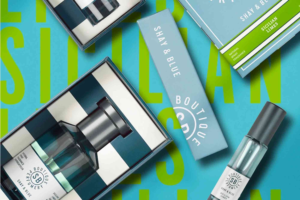
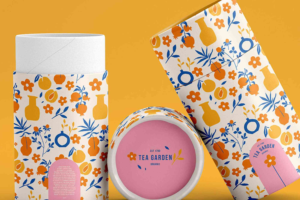
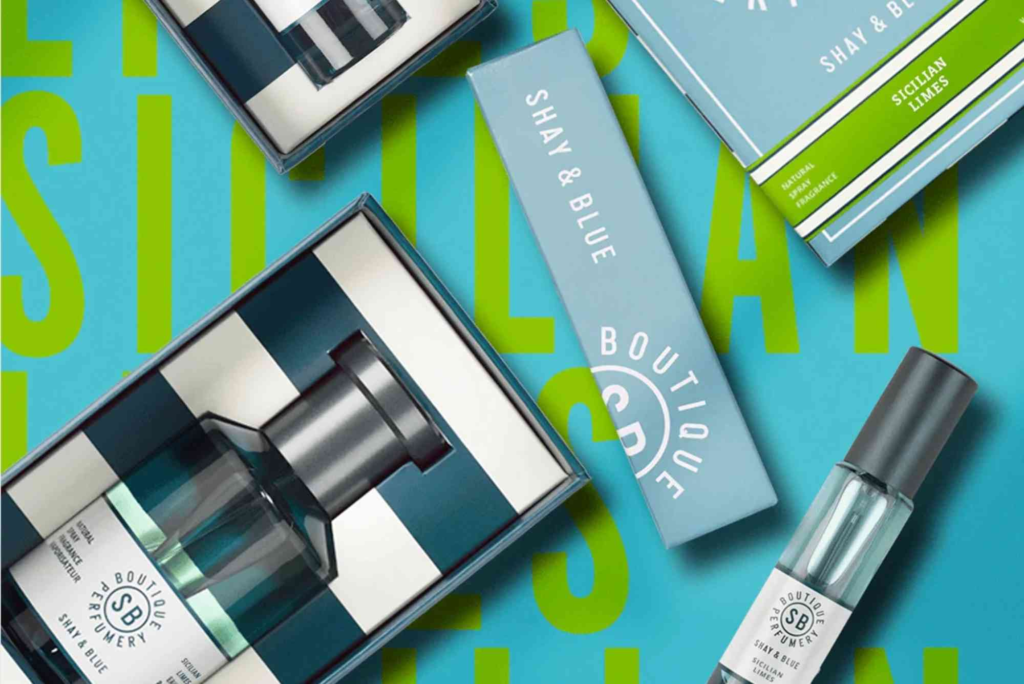
- Include high-quality visuals of your packaging.
- Mention client results or feedback if possible.
Process and Insights
Clients value seeing your thought process. Add sketches, mood boards, and iterations to demonstrate your approach. Link to resources on print & finishing insights to showcase your technical knowledge.
Contact Information
Conclude your portfolio with clear contact details, social media links, and location information. Include your Buddy Packaging Location if applicable for potential local clients.
Tips for a Compelling Packaging Design Portfolio PDF
Creating a visually appealing PDF requires more than good design work. Consider these tips:
Keep It Concise
Limit your portfolio to 15-20 pages. Focus on quality, not quantity.
Use High-Resolution Images
Ensure all visuals are crisp and clear. Poor image quality can undermine your credibility.
Maintain Branding Consistency
Use a consistent typography, colour scheme, and layout style throughout. This reinforces your design identity.
Add Descriptive Captions
Briefly explain each project, highlighting your role, design challenge, and solution.
Optimise File Size
Compress your PDF without sacrificing quality. print & finishing insights Large files may be hard to email or download.
Tools to Create a Packaging Design Portfolio PDF
Several tools help designers create professional PDFs:
Adobe InDesign
Ideal for layout design and precise typography control.
Canva
User-friendly and great for visually appealing portfolios without complex software.
Photoshop and Illustrator
Perfect for integrating high-quality visuals and editing packaging mockups.
Portfolio Platforms
Some platforms allow exporting your work as PDFs for easy sharing with clients or recruiters.
Common Mistakes to Avoid
Even experienced designers can make errors when creating a packaging design portfolio PDF. Avoid these pitfalls:
Overcrowding Pages
Too many images or text can overwhelm viewers. Use white space effectively.
Ignoring Typography
Poor font choices can make your portfolio look unprofessional. Stick to readable fonts.
Focusing Only on Finished Work
Include your design process. Clients want to understand how you solve problems.
Using Low-Quality Images
Blurry or pixelated images damage your credibility. Always use high-resolution visuals.
Elevate Your Packaging Design Portfolio PDF
A well-crafted packaging design portfolio PDF is essential for showcasing your skills and attracting new clients or opportunities. Focus on clear structure, high-quality visuals, and your unique creative process. Keep your portfolio concise, consistent, and easy to navigate.
Ready to take your portfolio to the next level? Start curating your best projects today and include insights from Custom Packaging to impress potential clients.
FAQ About Packaging Design Portfolio PDF
What Should Be Included in a Packaging Design Portfolio PDF?
Include an introduction, featured projects, design process, high-resolution images, and your contact details.
How Long Should a Packaging Design Portfolio PDF Be?
Aim for 15-20 pages. Focus on showcasing quality work rather than quantity.
Can I Include Client Feedback in My Portfolio PDF?
Yes, testimonials or project outcomes can add credibility and demonstrate results.
Should I Show My Design Process in the Portfolio?
Absolutely. Include sketches, mood boards, and iterations to highlight your problem-solving skills.
How Do I Share My Packaging Design Portfolio PDF?
You can email it, share via cloud services, or present it directly during meetings.
What Tools Are Best for Creating a Portfolio PDF?
Adobe InDesign, Canva, Photoshop, and Illustrator are the most common tools for professional portfolios.
How Can I Optimise My PDF for Clients?
Compress the file for easy sharing while keeping images high quality, and ensure clear navigation and layout.
buddypackaging.co.uk offers innovative and eco-friendly packaging solutions for businesses of all sizes. From custom boxes to sustainable materials, they help brands stand out while caring for the environment. Their expert team ensures high-quality, reliable, and stylish packaging that meets every need.