Design Printing Logo: A Complete Guide to Building a Strong Brand Identity
In today’s competitive market, a design printing logo plays a critical role in shaping how your brand is perceived. Whether you’re launching a startup or rebranding an established business, your logo is often the first visual element customers notice. A well-crafted design printing logo not only enhances brand recognition but also ensures consistency across all printed materials—from packaging to business cards.
This comprehensive guide will walk you through everything you need to know about creating a professional, impactful design printing logo that stands out both digitally and in print.
What is a Design Printing Logo?
A design printing logo refers to a logo specifically created with printing requirements in mind. Unlike digital-only logos, these designs must maintain clarity, colour accuracy, and scalability when printed on different materials such as paper, fabric, or packaging.
Key Characteristics of a Design Printing Logo
Scalability
A good logo should look sharp at any size—whether it’s on a billboard or a small label.
Print-Friendly Colours
Designs must use CMYK colour modes to ensure accurate print reproduction.
High Resolution
Vector formats like AI, EPS, or PDF ensure the logo remains crisp during printing.
Why a Design Printing Logo is Essential for Your Brand
A professionally designed printing logo is more than just aesthetics—it’s a business asset.
Builds Brand Recognition
Consistent use of your design printing logo helps customers instantly recognize your brand across various platforms.
Enhances Professionalism
High-quality printed logos reflect credibility and trustworthiness.
Supports Marketing Efforts
From brochures to packaging, your logo ties all marketing materials together.
Key Elements of an Effective Design Printing Logo
Creating a strong design printing logo requires attention to several essential components.
Simplicity
Why Simplicity Matters
Simple logos are easier to recognize and reproduce across different printing formats.
Examples of Simple Designs
Think of clean shapes, minimal colours, and readable typography.
Colour Selection
Use of CMYK vs RGB
For printing, always design in CMYK colour mode to avoid unexpected colour changes.
Choosing the Right Palette
Stick to 2–4 colours to ensure cost-effective printing and visual clarity.
Typography
Font Readability
Choose fonts that remain clear even when printed at smaller sizes.
Consistency in Branding
Your font should align with your brand’s tone—modern, classic, playful, or corporate.
Versatility
A good design printing logo should work across multiple formats:
- Packaging
- Business cards
- Banners
- Merchandise
If you’re working on product packaging, explore Custom Packaging solutions that align with your logo design for maximum brand impact.
Steps to Create a Professional Design Printing Logo
Designing a logo isn’t just about creativity—it’s a strategic process.
Understand Your Brand Identity
Define Your Mission
What does your business stand for?
Identify Your Target Audience
Your design should appeal to your ideal customers.
Research and Gather Inspiration
Before starting your design, study competitors and trends. You can explore packaging design inspiration to understand how top brands create impactful visuals.
Sketch Initial Concepts
Brainstorm Ideas
Draw multiple concepts before choosing the best one.
Focus on Unique Elements
Avoid copying trends—aim for originality.
Choose the Right Design Tools
Professional designers often use:
- Adobe Illustrator
- CorelDRAW
- Affinity Designer
These tools support vector formats, essential for printing.
Test Your Logo for Print
Print Samples
Test your logo on different materials to ensure quality.
Check Colour Accuracy
Make sure colours appear consistent across various surfaces.
Common Mistakes to Avoid in Design Printing Logo
Even experienced designers can make errors when creating print-ready logos.
Overcomplicating the Design
Too many details can make the logo unclear when printed.
Ignoring Print Specifications
Designing in RGB instead of CMYK can lead to colour mismatches.
Using Low-Resolution Files
Always use vector files to maintain quality.
Poor Font Choices
Decorative fonts may look good digitally but fail in print.
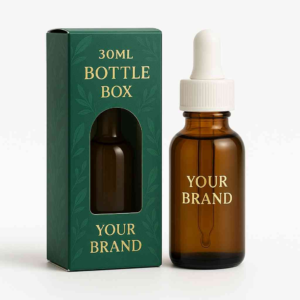
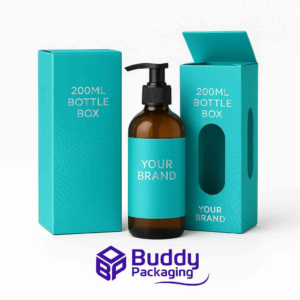
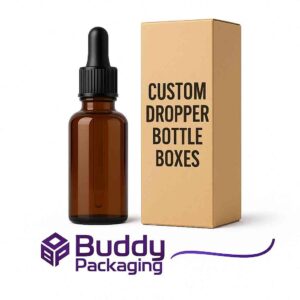
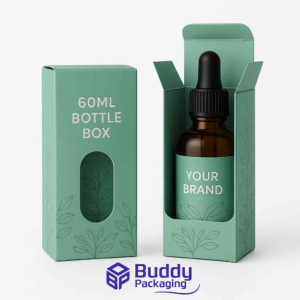
Design Printing Logo for Packaging
Packaging is one of the most important applications of your logo.
Importance of Logo Placement
Front-Facing Visibility
Ensure your logo is clearly visible on the packaging.
Balance with Design Elements
Avoid clutter—your logo should stand out without overwhelming the design.
Material Considerations
Different materials affect how your logo appears:
- Glossy surfaces enhance colours
- Matte finishes create a premium look
- Textured materials add depth
For location-based services or in-person branding, you can also check Buddy Packaging Location for practical insights into packaging and printing services.
Trends in Design Printing Logo (2026)
Staying updated with trends helps your logo remain relevant.
Minimalist Designs
Clean, simple logos continue to dominate the market.
Bold Typography
Strong, readable fonts make a lasting impression.
Monochrome Logos
Black-and-white designs offer versatility and cost-effective printing.
Eco-Friendly Design Approach
Brands are focusing on sustainable printing practices and materials.
How to Optimize Your Design Printing Logo for SEO and Branding
While logos themselves aren’t indexed like text, they still contribute to SEO indirectly.
Use Consistent Branding
Ensure your logo appears consistently across your website and marketing materials.
Optimize Image Files
Use descriptive file names and alt text like “design printing logo” for better search visibility.
Integrate with Content
Include your logo in blog posts, landing pages, and social media.
Build a Lasting Impression with a Design Printing Logo
A well-crafted design printing logo is a cornerstone of your brand identity. It communicates your values, builds trust, and ensures consistency across all printed materials. By focusing on simplicity, scalability, and print compatibility, you can create a logo that not only looks great but performs effectively in real-world applications.
Whether you’re designing from scratch or refining an existing logo, investing time and effort into your design printing logo will pay off in stronger branding and better customer recognition.
FAQs
What is the best format for a design printing logo?
Vector formats like AI, EPS, and PDF are ideal because they maintain quality at any size.
How do I make my logo print-ready?
Use CMYK colour mode, high-resolution files, and test prints on different materials.
Why does my logo look different when printed?
This usually happens بسبب using RGB colours instead of CMYK or poor colour calibration.
How many colours should a printing logo have?
Ideally, 2–4 colours to keep printing costs low and ensure clarity.
Can I use my digital logo for printing?
Yes, but it must be converted to a print-friendly format with proper resolution and colour settings.
What size should a design printing logo be?
There’s no fixed size, but it should be scalable and readable at both small and large dimensions.