Mug Printing Design Template: A Complete Expert Guide for Perfect Results
Creating a professional mug printing design template is the foundation of successful personalised mug printing. Whether you are a small business owner, a print professional, or a designer, the right template saves time and ensures consistent quality. In the competitive custom printing market, a well-prepared mug printing design template can be the difference between a flawless product and costly reprints.
What Is a Mug Printing Design Template and Why It Matters
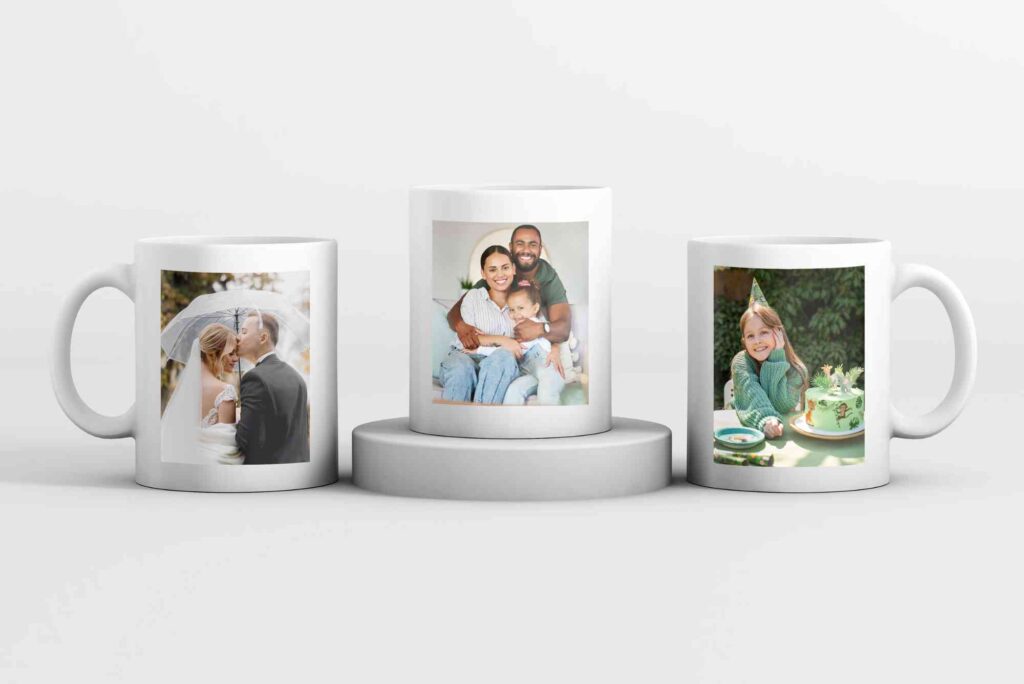
A mug printing design template is a pre-set digital layout that matches the exact printable area of a mug. It defines the correct size, bleed, resolution, and alignment for artwork. Without a reliable mug printing design template, designs may appear stretched, cropped, or misaligned during printing.
From experience in commercial printing, most errors occur before the print process even begins. Incorrect canvas size or low-resolution files lead to faded colours and blurred edges. A proper mug printing design template prevents these issues by setting technical boundaries from the start. For businesses offering personalised products, consistency is key. Using a standard mug printing design template ensures every order meets the same quality standards, even when designs vary.
Understanding Standard Mug Sizes and Print Areas
Before creating a mug printing design template, you need to understand mug dimensions. The most common ceramic mug holds 11 oz, with a printable area usually around 9 inches wide and 3.5 inches high. Larger mugs, such as 15 oz, require slightly wider templates.
However, handles reduce the printable surface. Professional templates account for safe zones near the handle to avoid awkward design cuts. From hands-on printing experience, leaving at least 0.25 inches of margin on each side is recommended. A well-designed mug printing packaging design tips design template includes guides for bleed and safe zones. These guides ensure your artwork prints cleanly without touching restricted areas.
Choosing the Right Software for Template Creation
Most designers use Adobe Photoshop, Illustrator, or CorelDRAW to create a mug printing design template. These programs allow precise control over dimensions and colour settings. Canva can work for beginners, but it lacks advanced print controls.
From a print production perspective, vector-based templates are ideal for logos and text. Raster images should always be set to 300 DPI to maintain sharpness. A professional mug printing design template includes preset resolution and colour profiles. Always save your master template separately. This allows you to reuse and adapt it for different designs without altering the original structure.
Setting Correct Colours for Mug Printing
Colour accuracy is critical in mug printing. What you see on screen may not match the final print. A reliable mug printing design template uses CMYK colour mode, which aligns better with printing processes.
Bright RGB colours often look dull when printed on ceramic surfaces. Based on industry practice, adjusting saturation and contrast slightly improves final output. Testing colours using sample prints helps refine your mug printing design template further. White mugs reflect colours differently from coloured mugs. A good template accounts for background colour to ensure text remains readable and vibrant.
Design Placement and Visual Balance
A strong mug printing design template focuses on placement as much as size. Designs should be centred visually, not just mathematically. Text-heavy designs often look better slightly higher on the mug.
Wrap-around designs require careful alignment. From real production runs, even a 2 mm shift can be noticeable. Using alignment guides within your mug printing design template reduces this risk. If your brand also focuses on presentation, pairing mug designs with branded materials like Custom Packaging adds perceived value and professionalism.
Preparing Print-Ready Files
A mug printing design template must produce print-ready files. This means flattening layers when required, embedding fonts, and saving in accepted formats such as PDF or high-quality PNG.
Printers often reject files with missing fonts or incorrect dimensions. Including notes within your template file can help maintain consistency across teams. For deeper industry knowledge, staying updated with print & finishing insights helps designers understand evolving print standards and technologies.
Adapting Templates for Different Printing Methods
Not all mug printing methods are the same. Sublimation printing requires mirrored designs and specific colour handling. Screen printing needs spot colours and thicker lines.
A versatile mug printing design template can be duplicated and adjusted for each method. From experience, keeping separate folders for sublimation and screen printing templates avoids confusion and errors. Heat transfer printing also benefits from templates that account for slight stretching during application.
Branding Consistency and Commercial Use
For businesses, a mug printing design template supports brand consistency. Logos, fonts, and colours remain uniform across products. This is essential for corporate orders and promotional campaigns.
Using templates also speeds up order processing. Designers spend less time adjusting files and more time creating. Over time, this improves profitability and customer satisfaction. If you run a local print business, highlighting your Buddy Packaging Location can help customers trust your physical presence and service reliability.
Optimising Templates for SEO and Online Sales
If you sell mugs online, your mug printing design template influences product photos and mock-ups. Clean, well-aligned designs photograph better and convert more customers.
Templates also support faster turnaround times. This improves reviews and search visibility. From an e-commerce perspective, consistency builds trust. Including template previews in product listings reassures buyers about print quality and placement.
Common Mistakes to Avoid When Creating Templates
One common mistake is ignoring bleed areas. Designs placed too close to edges often get trimmed or faded. Another issue is using low-resolution images, which appear pixelated after printing.
Overcrowded designs also reduce visual appeal. A good mug printing design template encourages white space and balance. From years of print handling, skipping test prints is the biggest error. Always test new templates before full production.
Build Better Prints with the Right Template
A professional mug printing design template is not just a design tool. It is a quality control system that saves time, reduces waste, and improves customer satisfaction. By understanding dimensions, colours, placement, and print requirements, you can create templates that deliver consistent results.
If you’re looking to elevate your brand’s visual appeal, creative mirror printing design offers a unique way to make your products and packaging stand out with striking reflective effects and eye-catching detail. Whether for promotional goods, retail displays, or bespoke gift items, mirror printing adds a premium finish that captures attention and reinforces quality. To learn more about how this technique can transform your designs, check out creative mirror printing design here.
FAQs
What size should a mug printing design template be?
Most standard templates are around 9 by 3.5 inches for 11 oz mugs. Always confirm with your printer.
Do I need different templates for different mugs?
Yes, different mug sizes and shapes require separate mug printing design templates for accuracy.
Which file format is best for mug printing?
High-quality PDF or PNG files at 300 DPI work best for most printers.
Should I design in RGB or CMYK?
CMYK is recommended for more accurate print colours on ceramic surfaces.
Can beginners create professional templates?
Yes, with the right dimensions and guidance, beginners can produce effective mug printing design templates.