Packaging Design on Canva: A Complete Guide for Modern Brands
Designing eye-catching packaging is no longer limited to professional graphic designers. Thanks to Canva, businesses of every size can now create beautiful, functional, and memorable packaging designs without expensive software. Whether you’re a startup building its first product or a growing brand looking to refresh its identity, mastering packaging design on Canva can transform the way customers see your products.
In today’s competitive market, packaging is more than just a wrapper. It tells your brand story, differentiates you from competitors, and shapes the customer’s first impression. With Canva, you can create designs that look professional, follow brand guidelines, and support marketing goals—all with an intuitive drag-and-drop tool.
In this complete guide, you’ll learn how to create packaging design on Canva step by step, plus expert tips, best practices, FAQs, and links to resources that every designer should bookmark. You’ll also see how to find packaging design inspiration and how brands can take their packaging strategy to the next level.
Why Packaging Design Matters More Than Ever
Packaging influences how customers interact with your brand. Before they experience your product, they encounter its packaging, and that moment shapes expectations. Good packaging is not only visually appealing; it must also be functional, user-friendly, and aligned with your brand’s message.
Modern customers notice thoughtful details. They appreciate sustainable materials, clear typography, attractive colours, and unique layouts. When done well, packaging can even become part of your marketing, encouraging buyers to share unboxing experiences online.
Because Canva is accessible and flexible, it allows small businesses to create premium packaging without the cost of a professional design studio. This accessibility helps level the playing field.
Getting Started With Packaging Design on Canva
When you open Canva, you’ll find thousands of templates tailored for labels, boxes, product sleeves, pouches, jar stickers, and more. These templates help you build designs faster while still allowing complete customisation.
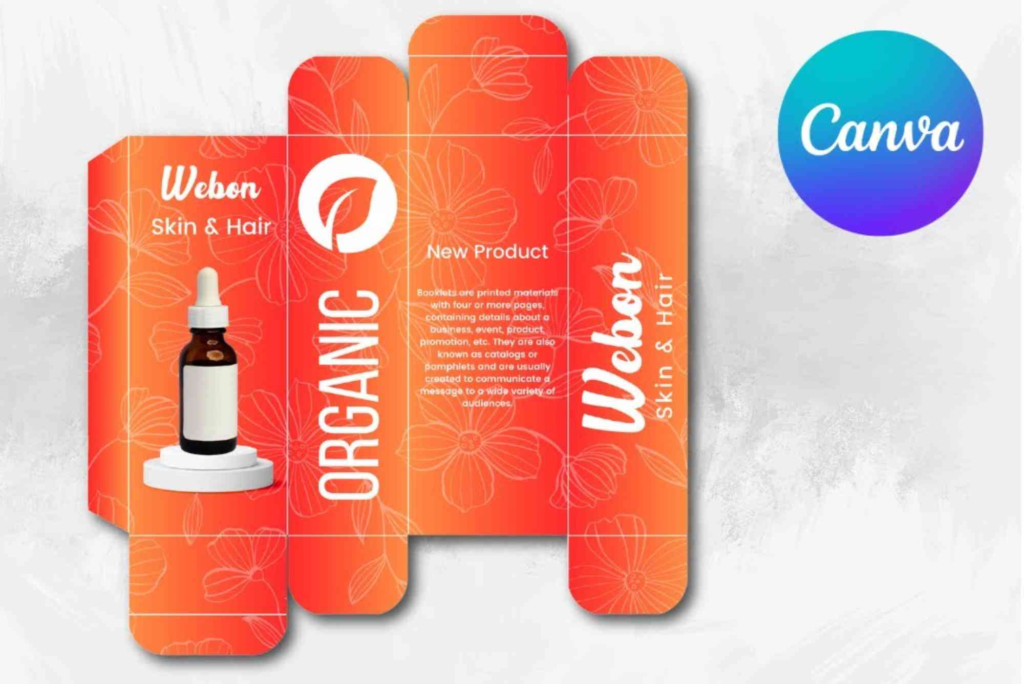
To begin, choose a canvas size that matches your packaging manufacturer’s printing requirements. Most suppliers provide dielines that can be uploaded into Canva. This ensures your design fits perfectly once printed and assembled.
Next, build a structure for your design. Think about where your logo, product name, features, usage instructions, and barcode will appear. Canva’s grid and alignment tools make layout planning easy even for beginners.
Choosing the Right Template and Dieline
Start with a template that suits the type of packaging you need. Canva offers templates for:
Product boxes
Food and beverage labels
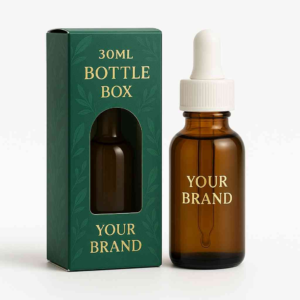
Cosmetic bottles
Skincare jars
Tea and coffee bags
Candles and diffusers
Gift boxes and subscription packages
If you already have a dieline from your packaging supplier, upload it to Canva and lock it in place. This step is crucial for accuracy. Every fold, edge, and cut must align correctly. Once locked, you can design confidently on top of it without shifting the outlines.
Using Canva’s guides, bleed lines, and safe zones will prevent text or images from being cut off during printing.
Building a Brand-Focused Design
A strong packaging design must clearly express your brand identity. In Canva, you can upload brand colours, fonts, textures, and icons, then save them in the Brand Kit for consistent use across all designs.
Think about your brand personality. Is it bold, minimal, playful, or luxurious? The design choices you make must match this tone. For example, skincare brands often use soft colours and clean layouts, while organic food brands may prefer earthy tones and rustic illustrations.
You should also pay attention to hierarchy. The product name should be easily readable. Supporting details such as ingredients, directions, and warnings must be placed logically and in a legible font size.
Adding Textures, Illustrations, and Product Details
One of Canva’s biggest strengths is its vast library of illustrations, textures, icons, and elements. These assets help you enrich your packaging design without needing outside artwork.
Illustrations work especially well for:
Artisanal food brands
Handmade products
Kids’ items
Wellness and lifestyle goods
Textures like foil, metallic gradients, wood, or linen can add depth to your design. These elements create a premium feel even though the design work is fully digital.
When adding product text, keep sentences short and helpful. Prioritise clarity. Customers should understand what the product is within seconds. Use font pairing that reflects professionalism and legibility.
Using Colour Psychology
Colour plays a major role in packaging design. Canva makes it easy to experiment with palettes until you find the perfect combination.
Warm colours create energy and urgency.
Cool colours inspire calm and trust.
Neutrals provide elegance and simplicity.
Bright tones attract younger audiences.
Always ensure your colour scheme contrasts well with your text. Accessibility is essential.
Printing Your Packaging Created in Canva
Once your design is complete, download it in PDF Print format with crop marks and bleed. This ensures print accuracy. If your supplier requires CMYK, Canva offers that option too.
Before sending your final file to print, double-check spelling, layout alignment, and colour consistency. If possible, print a sample or ask your supplier for a proof. This step helps you catch any issues before producing your full batch.
Custom Packaging for Advanced Branding
Some businesses prefer outsourcing the physical production of their boxes or packaging materials. If you plan to upgrade your packaging to a more premium level, you can explore Custom Packaging options from specialist companies such as:
Pairing Canva designs with professional manufacturing gives you the best of both worlds: accessible design and high-quality print output.
Finding Packaging Design Inspiration
Every designer needs fresh ideas. When you’re unsure of your design direction, visiting online galleries helps you understand trends, styles, and creative approaches.
A great source for packaging design inspiration is:
Exploring examples from successful brands worldwide can spark new ideas and improve your own design strategy.
Expert Tips for Better Packaging Design on Canva
The following techniques will help elevate your design quality:
Keep your layout clean and uncluttered.
Use only one or two font families for consistency.
Focus on readability, especially for small text.
Incorporate your brand story through visuals and tone.
Test colour contrasts before finalising.
Ensure your design works both in print and in digital mockups.
Preview your design in 3D using external tools if needed.
These small improvements can make your packaging appear more professional and appealing.
Common Mistakes to Avoid
Even simple errors can reduce the effectiveness of your packaging. Avoid:
Using too many colours or decorative elements.
Placing text too close to edges.
Forgetting bleed marks.
Choosing fonts that are difficult to read.
Uploading low-resolution images.
A clean, focused design is almost always better than a complicated layout.
FAQs
Can I use Canva for professional packaging design?
Yes. Canva offers print-ready formats that work well for professional packaging. Many small and medium brands use it successfully.
Can I upload dielines to Canva?
Absolutely. You can upload any dieline PDF or PNG, lock it in place, and design over it.
Does Canva offer CMYK printing colours?
Canva Pro includes CMYK download options, which are ideal for packaging printers.
Is Canva good for product labels?
Yes. Canva has hundreds of label templates that you can fully customise for jars, bottles, pouches, and more.
Can I create a 3D mockup of packaging in Canva?
While Canva doesn’t have built-in 3D mockups for packaging, you can export your design and upload it into external mockup tools or use Canva’s SmartMockups library.
Mastering packaging design on Canva opens new possibilities for brands of every size. With its accessible tools, professional templates, and creative elements, Canva empowers anyone to build packaging that looks polished, modern, and market-ready. Whether you’re designing labels, boxes, or complete product packaging sets, Canva simplifies the process while giving you full creative freedom.