Packaging Design In Figma: A Complete, Practical Guide
Designing packaging that stands out is essential in any competitive market. Today, many designers use Packaging Design In Figma because it is simple, flexible, and perfect for collaborating with teams and clients. This guide walks you through every step, from concept to export, using clear instructions and real-world insights.
Whether you are a beginner or an experienced designer, you will learn how to create professional-grade packaging mockups, dielines, 3D views, and brand-ready layouts. The focus keyword Packaging Design In Figma appears naturally throughout the article for strong SEO performance.
What Is Packaging Design In Figma?
Packaging design in Figma refers to the process of creating box layouts, product labels, wrappers, and dielines using the Figma interface. Figma is well-known for UI/UX, but its vector tools, grids, components, and collaboration features make it an excellent choice for packaging work as well.
Designers use Figma to:
• Build product box designs
• Create printable dielines
• Develop brand-consistent layouts
• Collaborate with clients in real time
• Test visual variations quickly
Many packaging experts use Figma alongside real-world prototyping. Because Figma is lightweight and cloud-based, it helps teams work faster than traditional desktop design tools.
Why Use Figma For Packaging?
Flexible Vector Tools
Figma’s vector editing tools are strong enough for shapes, lines, cut marks, and folds used in packaging layouts. You can adjust curves, angles, and edges with precision.
Real-Time Collaboration
Multiple designers and clients can edit or comment at the same time. This makes feedback loops faster and helps you finalize packaging before printing.
Easy to Learn
Figma is more intuitive and beginner-friendly compared to heavy software like Illustrator. You can learn Packaging Design In Figma within hours.
Cloud-Based Convenience
Your packaging files sync instantly. You don’t lose work, and you can access your design anywhere.
How to Start Packaging Design In Figma
Set Up Your Workspace
Begin by creating a new Frame. Use standard box or label dimensions based on your product needs. If you’re working with a manufacturer, ask for their dieline template. This ensures your final design prints correctly.
Choose a Packaging Style
Different packaging styles require different dielines. Common options include:
• Folding cartons
• Mailer boxes
• Pouches
• Labels
• Sleeves
Use real product measurements. For inspiration, explore packaging design inspiration from top designers and brands.
Create the Dieline
A dieline is the technical outline used for printing and cutting. In Figma, you can create it using:
• The Pen tool
• Shape tools
• Vector Boolean operations
Mark fold lines using dashed strokes. Mark cut lines using solid strokes. Name layers clearly so printing teams can understand the structure.
Design the Outer Layout
Now apply branding elements like:
• Logos
• Colors
• Product images
• Typography
• Icons
• Patterns
Figma Components help maintain consistency across panels. You can also use Auto Layout for spacing and alignment, even though it is usually for UI work.
Add Product Details
Packaging requires accurate and clear product information. Include:
• Ingredients
• Usage steps
• Barcode space
• Expiry date area
• Legal guidelines
Make sure your typography is readable at small sizes.
Review with Stakeholders
Share the design using the Figma share button. Clients can comment directly on specific areas. Real-time updates help finalize packaging faster.
Export for Print
Export your design as PDF or SVG. Confirm your print shop’s requirements. Many printers prefer CMYK, bleeds, and crop marks. Figma itself exports in RGB, so many designers convert colors externally.
Tips for Better Packaging Design In Figma
Use High-Quality Mockups
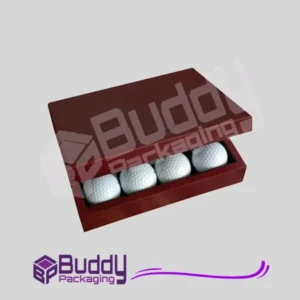
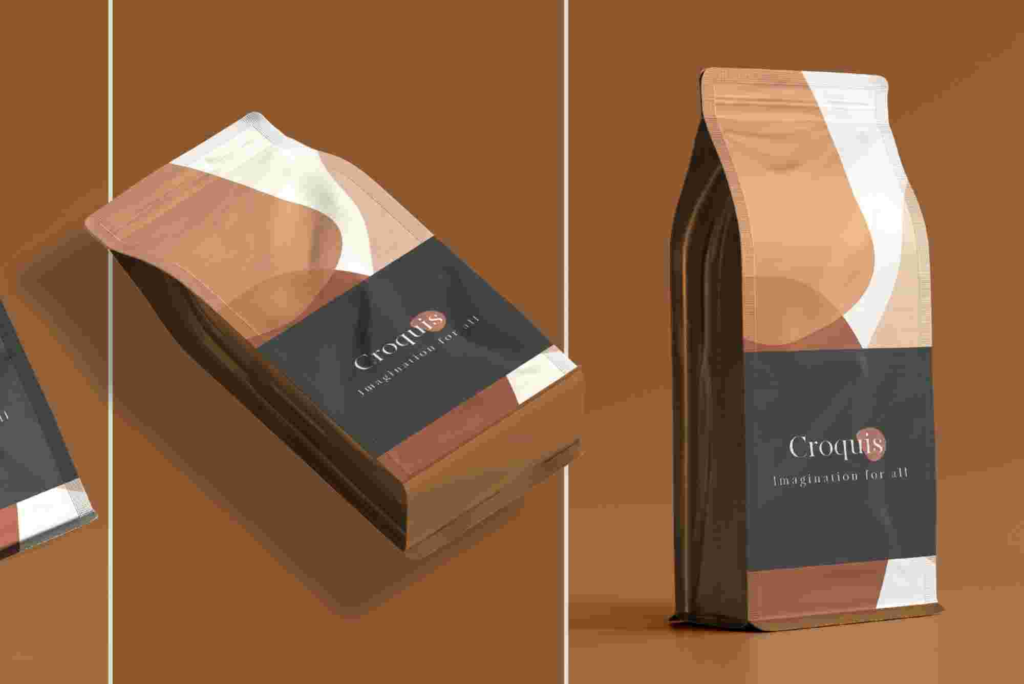
Instead of flat designs, create 3D mockups using perspective or plugins. This helps clients visualize the final product.
Work With Color Styles
Create shared color styles so every panel remains consistent. This improves the brand’s recognition.
Create Reusable Components
Logos, product labels, icons, and layouts should be Components. It saves time and reduces mistakes.
Keep Files Organized
Group your dieline, artwork, text, and barcode layers. A clean file speeds up revisions.
Real-World Examples of Packaging Design In Figma
Many brands use Figma to create quick packaging variations before finalizing print files. For example:
• Beauty brands use Figma to design label variations
• Food companies create box prototypes
• E-commerce sellers build custom mailer boxes
Buddy Packaging Location Looking at real-world brands also gives great packaging design inspiration when you start new projects.
Best Plugins for Packaging Design In Figma
Isometric Mockups
Helps place your packaging on a 3D isometric plane for realistic previews.
Angle
Transforms your frame into perspective mockup scenes.
Remove BG
Perfect for generating clean visuals when adding product photography.
Lorem Ipsum
Useful for placeholder text while planning label layouts.
Color Palettes
Helps explore new color combinations before finalizing brand guidelines.
Practical Use Cases for Packaging Design In Figma
For Small Brands
Small businesses get affordable, fast packaging development without expensive software.
For Agencies
Agencies collaborate with clients more easily, reducing long approval cycles.
For E-Commerce Sellers
Amazon, Etsy, and Shopify sellers use Figma to create box and label designs quickly.
For Custom Box Projects
If you’re working with companies offering Custom Packaging, using Figma speeds up the conceptual phase.
Common Mistakes in Packaging Design In Figma
Incorrect Dimensions
Always confirm product measurements. packaging design inspiration A 2 mm mistake can affect printing results.
Low Readability
Small fonts on labels often become unreadable in print. Test text size early.
Ignoring Bleed Requirements
Most printers require 3–5 mm bleed. Always include it.
Poor Color Management
Figma exports in RGB. If your printer works in CMYK, convert colors before printing.
Advanced Techniques for Packaging Design In Figma
Build a Packaging Design System
Create a reusable system of colors, components, grids, and text styles for all your packaging variants. This works well for beauty, food, and wellness brands.
Use 3D Mockups
While Figma is not 3D software, plugins allow you to preview boxes in perspective. This impresses clients and speeds up approvals.
Test Multiple Variants
Duplicate frames to test colors, typography, and imagery side by side. This helps you choose the best direction.
Combine With Print Templates
Use manufacturer dielines to ensure accurate fold, glue, and cut locations.
Internal & External Mentions (Plain Text Only)
• You can get professional Custom Packaging through top suppliers.
• Explore packaging design inspiration by browsing well-known design platforms.
• Learn more about Buddy Packaging Location when checking local services.
FAQ: Real Questions People Ask on Google
How do you make packaging dielines in Figma?
Use the Pen tool, shapes, and stroke styles to outline each panel. Add dashed lines for folds and solid lines for cuts. Always follow your manufacturer’s template.
Can Figma be used for printable designs?
Yes. Figma exports PDF and SVG files suitable for most printers. However, you may need external tools to convert RGB to CMYK.
Is Figma better than Illustrator for packaging?
Figma is easier for collaboration and fast prototyping. Illustrator is stronger for complex print work. Many designers use both together.
Can I make a box mockup in Figma?
Yes. You can create perspective mockups using plugins or by manually transforming shapes for a 3D effect.
Do printers accept Figma files?
Printers accept PDF or SVG exports. Always ask your print shop for their preferred format and color settings.
Packaging Design In Figma gives designers and brands a fast, flexible, modern way to create printable and digital packaging. You can build dielines, design layouts, test variations, and share with clients — all in one place.
As you continue practicing, you’ll discover even more advanced techniques that make your workflow smoother and your designs more professional.
If you want expert help or need inspiration, start exploring professional packaging resources today. Your next packaging concept could be your best yet.
Ready to bring your packaging idea to life? Start designing now and turn your concept into a real, print-ready product.